

Register a Domain
Step-by-step guide to searching for, configuring, and registering a new .ch or .li domain at YourWebTech (ywt.ch).
Register a Domain
Registering a domain at YourWebTech takes just a few minutes. This guide walks you through the entire process, from searching for an available name to completing payment and going live.
Before you begin
- You need a YWT account. If you do not have one yet, see Register an account.
- Decide on the domain name you want. It helps to have a few alternatives ready in case your first choice is taken.
- Have a valid payment method available. The checkout page shows the payment methods currently enabled through YWT's Stripe configuration.
Find your domain
Start by searching for the name you want. The search bar on the YWT homepage and the Domains page (/domains) both support instant availability checks across .ch and .li TLDs.
Type in your desired name (for example, alpineatelier) and press Search. YWT checks availability in real time and shows you every supported TLD option along with its price.
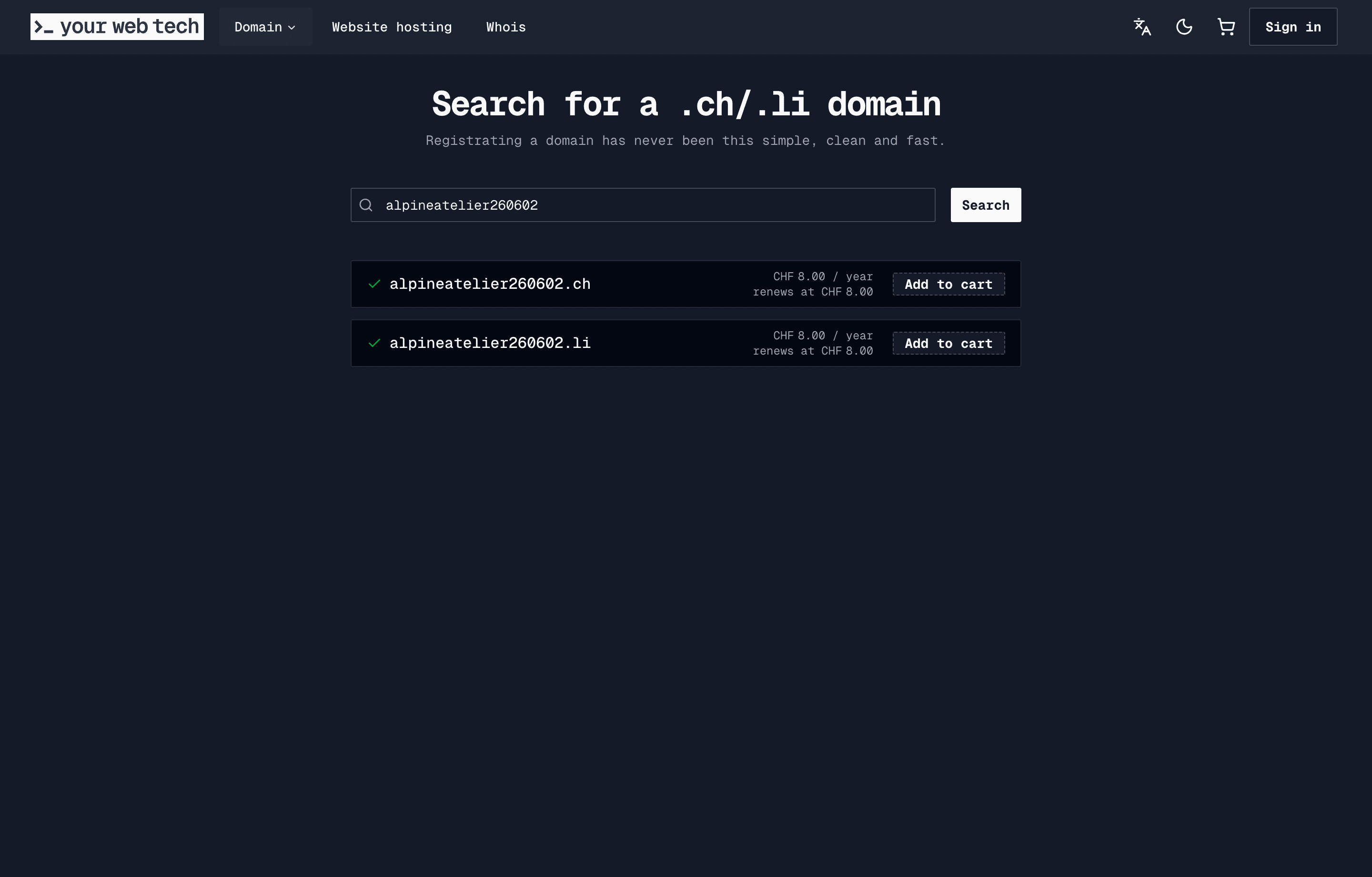
A few things to keep in mind while reviewing results:
- Green means the domain is available for registration.
- Red or greyed-out means it is already taken. You can try a different name or variation.
- Pricing is displayed per year. Some TLDs may differ in cost, so compare before deciding.
Register step by step
Add to cart
Click the Add to cart button next to the TLD you want. You can add multiple domains in one transaction if you like.
Provide registrant contact details
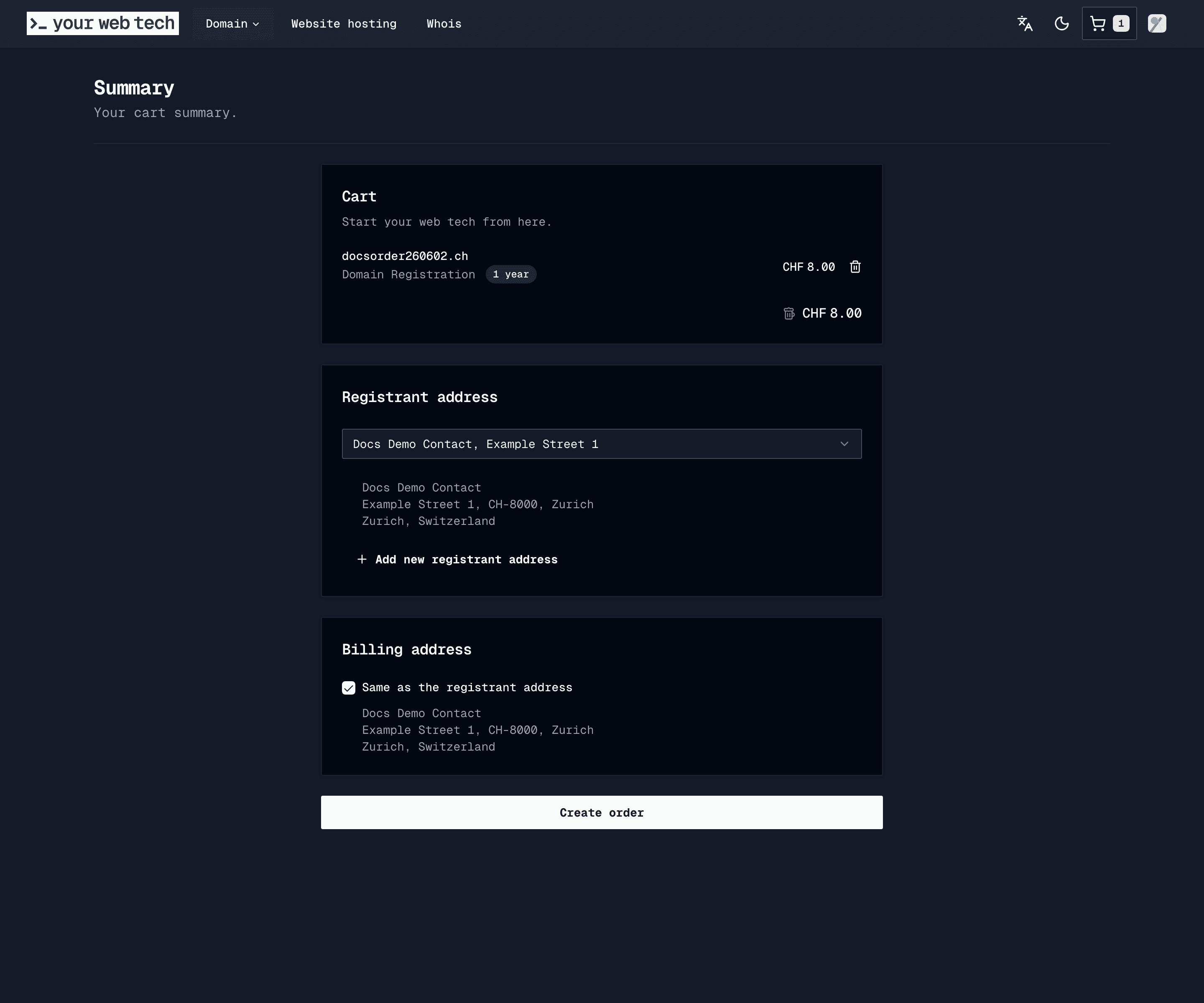
During checkout you will be asked for the registrant's contact information. This is the legal owner of the domain and the data is submitted to the registry.
For .ch and .li domains managed by SWITCH, accurate contact details are mandatory. The registry may verify your information, and incorrect data can lead to the domain being suspended.
You will typically need to provide:
- Full name (or organisation name)
- Street address
- City, postal code, and country
- Email address
- Phone number
YWT currently focuses on .ch and .li domains. Keep the registrant contact accurate because it is registry data, not just a billing profile.
Review the registration term
The order summary shows the current registration term and price before you pay. You can renew the domain later from the domain detail page after it is in your account.
Enable auto-renew
We strongly recommend toggling Auto-renew on during registration. This ensures your domain is renewed automatically before it expires, preventing accidental loss of service.
You can change this setting at any time from your domain's settings page. For more details, see Renewals and auto-renew.
Review and complete payment
Review the order summary to confirm the domain name, TLD, registration period, and total price.
Select your payment method and complete the transaction. You will receive a confirmation email once payment is processed.
After registration
New domain registrations typically become active within minutes of payment confirmation. In rare cases the registry may take a little longer, but you will be notified by email once your domain is live.
Once your domain is active, it appears under Domains in your YWT account. From there you can:
- Manage DNS records — Add A, AAAA, CNAME, MX, TXT, and other records. See Manage DNS records.
- Put a page on it — Show a free "Coming soon" page on the domain in one click. See Put a page on your domain.
- Set up hosting — Deploy a static website on YWT's built-in hosting platform. See Host your first website.
- Configure DNSSEC — Enable DNSSEC signing to protect your domain from DNS spoofing. See DNSSEC.
- Update nameservers — If you use external DNS, point your domain to your preferred nameservers in the domain settings.
Frequently asked questions
How long does registration take?
Most .ch and .li registrations complete within a few minutes. You will see the domain in your account as soon as the registry confirms it.
Can I register a domain without hosting it at YWT? Yes. Domain registration and hosting are independent. You can register a domain at YWT and point it anywhere using custom nameservers or DNS records. See domain registration vs website hosting for how the two fit together.
What if the domain I want is taken?
Try a variation of the name, a different TLD (.ch vs .li), or check back later in case it becomes available. YWT does not currently offer backorder or drop-catching services.
Can I change the registrant details after registration? Editing the registrant on an existing domain is not yet available as a self-service option. Contact YWT support if the legal registrant details need to be corrected.