

Transfer a Domain to YWT
Move an existing domain from another registrar to YourWebTech (ywt.ch) without downtime.
Transfer a Domain to YWT
If you already own a .ch or .li domain at another registrar, you can transfer it to YourWebTech to manage DNS, hosting, and billing in one place.
Before you begin
Transferring a domain requires a few preparations at your current registrar. Complete these before starting the process at YWT:
- Obtain the authorization code. This is also called an AuthCode, EPP code, or transfer key. Your current registrar provides it, usually through their control panel or via a support request.
- Confirm the domain is eligible to transfer. If your current registrar shows a transfer lock or another blocking status, resolve it there before starting the transfer.
- Confirm the registrant email address. The email address listed as the registrant contact should be accessible in case your current registrar sends notifications.
About .ch and .li transfers: Domains under SWITCH usually transfer quickly once the registry receives a valid AuthCode. You still need that code from your current registrar.
Start the transfer
Open the transfer page
Log in to your YWT account and navigate to the Transfer page. You can find it under the Domains dropdown in the header navigation or by going directly to /domains/transfer.
Enter your domain name
Type the full domain name (including the TLD) into the transfer form. For example: mybusiness.ch or myproject.li.
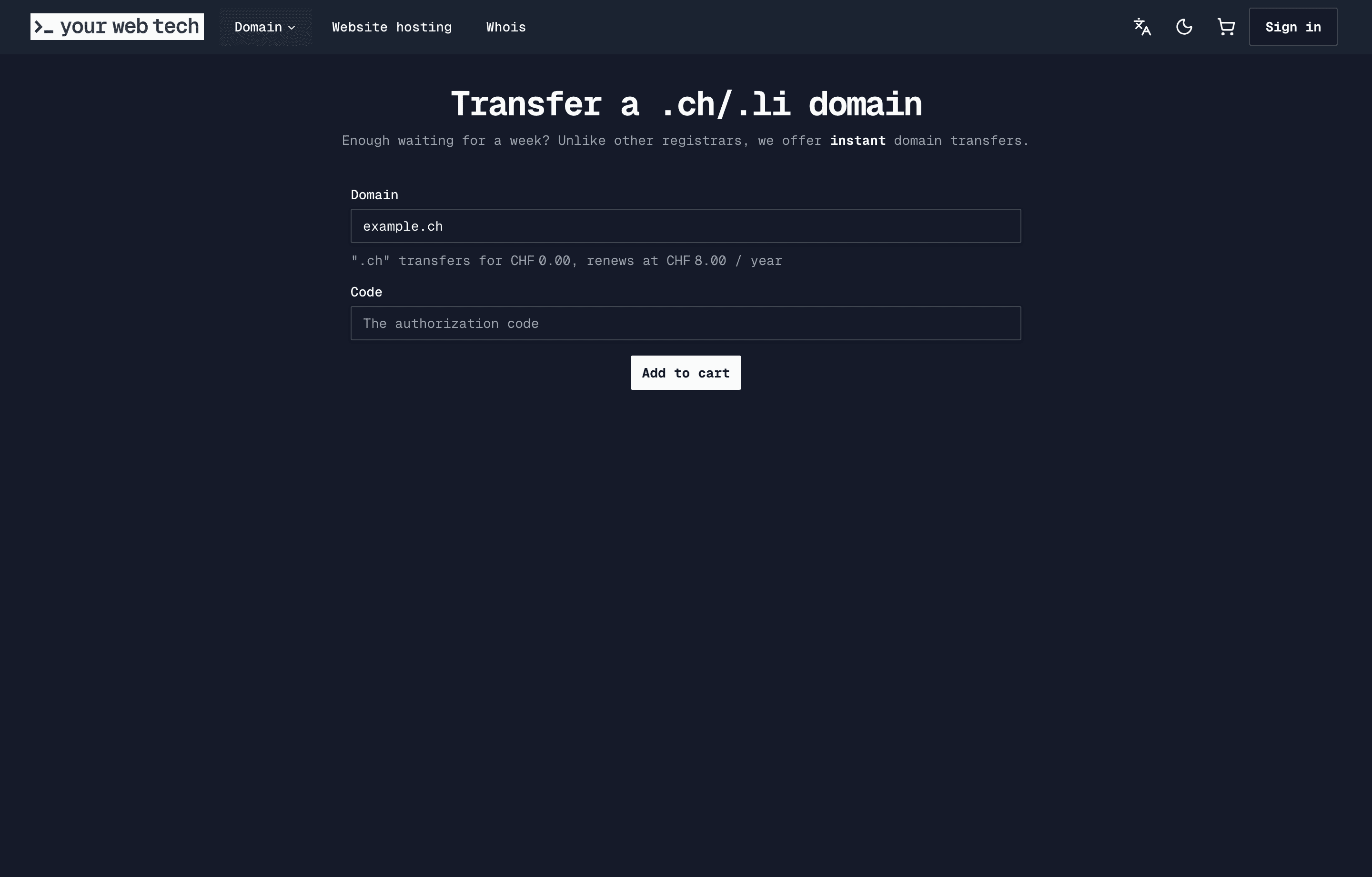
YWT will verify that the domain exists and is eligible for transfer.
Provide the authorization code
Paste the AuthCode you obtained from your current registrar. This code proves you are authorized to move the domain.
If the code is incorrect or expired, the transfer will be rejected. In that case, request a new code from your current registrar and try again.
Review and complete checkout
Review the order summary and complete payment if a fee is shown. YWT shows the transfer cost before you confirm.
Approve confirmation emails
Your current registrar may send a notification or confirmation email. Act on any transfer-related emails promptly.
Transfer timeline
The time a transfer takes depends on the TLD and the losing registrar's response:
| TLD | Typical duration |
|---|---|
.ch | Minutes to a few hours |
.li | Minutes to a few hours |
| You can monitor the status of your pending transfer in your YWT account under Domains. |
After the transfer completes
Once the transfer is confirmed, your domain appears under Domains in your YWT account. Take a moment to review and configure the following:
- Nameservers. The transfer may or may not preserve your existing nameservers, depending on the TLD and registry. Verify they are correct. If you want to use YWT's DNS, update your nameservers to the ones shown in your domain settings.
- DNS records. If you switch nameservers to YWT, you will need to re-create your DNS records (A, CNAME, MX, TXT, etc.) in the YWT DNS manager. See Manage DNS records.
- Auto-renew. Enable auto-renew to make sure your domain does not accidentally expire. See Renewals and auto-renew.
- DNSSEC. If your domain previously had DNSSEC enabled, you will need to set it up again at YWT. See DNSSEC.
If your website or email depended on DNS records at your old registrar, make sure to recreate those records at YWT before changing nameservers. Changing nameservers without setting up records first will cause downtime.
Troubleshooting
Transfer was rejected. The most common reasons are an incorrect or expired AuthCode, the domain being locked at the current registrar, or another registry status blocking transfer. Fix the issue and try again.
I never received the confirmation email. Check your spam or junk folder. Make sure the registrant email on file is correct and accessible. If needed, update it at your current registrar before initiating the transfer.
Transfer is stuck in "pending". Check whether your current registrar has sent a confirmation email or is showing a blocking status. Contact YWT support if the transfer does not progress.