

Domain Registration vs Website Hosting
Domain registration vs website hosting: what each one does, why they are separate, and how to switch web hosts without transferring your .ch domain.
Domain registration vs website hosting
People mix these two up constantly, and the confusion leads to a common and avoidable mistake: transferring a domain away just to change where a website is hosted. This guide explains domain registration vs website hosting in plain terms, why they are separate things, and how DNS connects them, so you can switch hosts without ever touching your .ch or .li domain.
If you already know the difference and just want the steps, jump to using your domain with an external host or connecting it to YWT hosting.
Domain registration vs website hosting: two different jobs
They solve two different problems, and you buy them as two separate things.
Domain registration reserves a name. When you register a domain like example.ch, you are renting the exclusive right to that name for a period of time, usually a year at a stretch. Nobody else can use it while it is yours. Registration does not give you a website. It gives you the address.
Website hosting is the server that stores your site's files and serves them to visitors. Your pages, images, and code live on a host, and the host answers when a browser asks for them. Hosting does not give you a name. It gives you the building behind the address.
A useful way to picture it: the domain is the street address printed on your business card, and the host is the actual shop the address leads to. You can own the address without building anything. You can run the shop and reach it by a plain numeric address. To have a real website that people find by name, you need both, and they cooperate through DNS.
Who does what: registry, registrar, and host
Three different parties are usually involved, and keeping them straight is what makes the rest of this make sense.
- The registry runs the master database for a top-level domain. For
.chand.li, that is SWITCH, the official operator for both. The registry does not sell to the public. - The registrar is the company you actually buy and manage the name through, such as YourWebTech. The registrar talks to the registry on your behalf and is who you log in to when you renew, change contact details, or move a domain.
- The host is wherever your website's files live. That can be YourWebTech's own hosting, or an outside platform like Vercel, Netlify, or GitHub Pages.
The host and the registrar can be the same company or two completely different ones. That one fact causes most of the confusion, and the rest of this guide is about its consequences.
Why they are independent on purpose
The two sides are decoupled deliberately, and that buys you some useful freedom.
- You can register a domain and never build a site. Plenty of people register a name early to protect a brand, then sit on it for months.
- You can run a website with no custom domain at all, reachable only at a host-provided address.
- You can change your host without telling your registrar, and change your registrar without disturbing your host.
Because the two sides are separate, each can move on its own. Your domain is a long-term asset you keep as you redesign and switch hosts over the years. The name stays put while everything behind it changes.
DNS is the glue between them
If registration and hosting are independent, something has to connect the name to the server. That something is DNS, and the connection lives in your domain's nameservers and records, not in the domain itself.
When you register a .ch or .li domain at YWT, it is assigned YWT nameservers by default, and you manage its records from the DNS panel. An A record (or a CNAME) is the line that says "send visitors for this name to that server." Point that record at a host and the name resolves there. Point it somewhere else tomorrow and the name follows, with no change to the registration underneath.
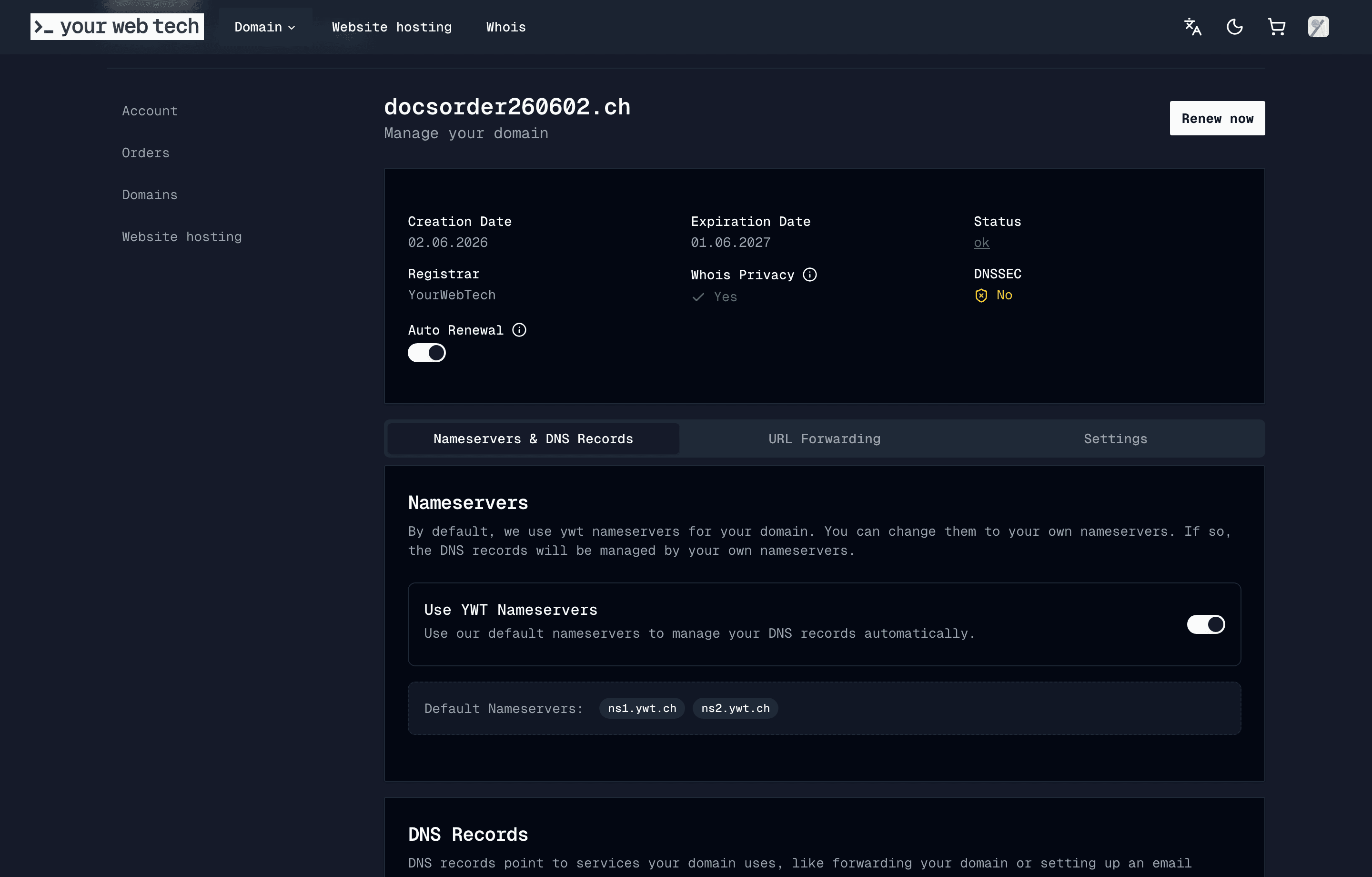
So the chain of control looks like this:
- Registrar holds the registration and decides which nameservers are authoritative for the name.
- Nameservers hold the DNS records.
- A DNS record points the name at whichever host you choose.
To move your website, you change step three. The registration in step one does not need to move at all. If you want the full mental model of how a lookup travels through this chain, the beginner's guide to DNS walks through it.
The mistake to avoid: transferring a domain to switch hosts
Here is the trap. You decide to move your website to a new hosting provider, the new host asks for your domain, and somewhere in the process you conclude you have to "transfer the domain" to them. You request a transfer, hand over the authorization code, and now your registration has moved to a registrar you did not really mean to switch to.
You almost never need to do that. Transferring a domain changes its registrar. It does not change where the website is hosted. Those are different operations on the two independent things we have been describing.
To switch web hosts, you only repoint DNS:
- If you are moving to an outside platform, keep the domain where it is and update the DNS records to point at the new host. The external host guide has the exact records for Vercel, Netlify, GitHub Pages, and others.
- If you are moving to YWT hosting, connect the domain to your site and add the records YWT shows you. Custom domains connected this way get HTTPS automatically.
In both cases the registration stays exactly where it is. Your renewal date and contact details are untouched, and there is no transfer waiting period to sit through.
A domain transfer is the right tool only when you genuinely want a different registrar, for example to consolidate your names in one account or because you prefer another provider's management and pricing. Even then, the transfer is about who manages the name, not about your website. See transferring a domain to YWT or away from YWT for those cases.
How this looks at YourWebTech
Because YWT is a registrar with its own hosting, you get to mix and match:
- Register and host in one place. Register the domain, build a hosted site, and connect them. One login covers both.
- Register at YWT, host elsewhere. Keep the domain at YWT for DNS and renewals, and point the records at an external host.
- Host at YWT, register elsewhere. Keep the name at your current registrar and point its DNS at YWT hosting. Nothing forces the two to live together.
Whichever you pick, the domain and the website remain separate accounts of separate things, joined only by the DNS records you control.
Frequently asked questions
Is domain registration the same as web hosting? No. Registration reserves the name (the address), and hosting stores the website's files (the building the address leads to). They are separate services you can buy from the same company or from two different ones.
Do I need to transfer my domain to change web hosts? No. Switching hosts is a DNS change, not a transfer. You repoint your domain's records at the new host and leave the registration where it is. A transfer only moves the registrar, not the website.
Can I register a domain without a website? Yes. Registration and hosting are independent, so you can hold a name with no site behind it, then add hosting whenever you are ready. See Register a domain.
Can I keep my .ch domain at YWT but host the website somewhere else? Yes. Keep the domain at YWT for DNS and renewals, and point the DNS records at your external host. The external host guide lists the records for common platforms.
Will moving my website cause downtime? Done carefully, little to none. Set up the site at the new host first, then update DNS. Lowering your record's TTL a day ahead makes the switch propagate faster. See DNS propagation.
Do I need both a domain and hosting to have a website? To have a website people reach by name, yes: a domain for the address and a host for the files, with DNS pointing one at the other. You can have a host-provided address with no custom domain, but most sites want their own name.
Next steps
- Use a YWT domain with an external host to switch hosts without a transfer.
- Connect a domain to YWT hosting for an all-in-one setup.
- What is DNS? A beginner's guide for the model that ties it together.
- Register a .ch or .li domain if you do not have a name yet.
Sources
- SWITCH, the registry for .ch and .li, and the Swiss OFCOM page on .ch internet domain names.
- ICANN, Registering Domain Names, for the registry, registrar, and registrant roles in the global DNS.
Last updated: 2026-06-10.
How to Register a .ch Domain in Switzerland
A plain-language guide to .ch domains: who can register one, what they cost, how long it takes, and how to get yours, plus .ch vs .li.
What Is DNS? A Beginner's Guide
What is DNS? It is the internet address book that turns a domain like example.ch into a website. A plain-language guide to how DNS works.