

What is DNS?
A beginner-friendly explanation of how DNS works, common record types, and how to manage DNS for your .ch or .li domain.
What is DNS?
The Domain Name System (DNS) is the internet's phone book. When someone types example.ch into their browser, DNS is what translates that name into the IP address of the server hosting the website. Without DNS, you would have to remember numeric addresses like 185.12.7.49 for every site you visit.
New to DNS? Our beginner's guide to DNS explains the concepts (the DNS hierarchy, nameservers, and how a lookup works) before you start editing records here.
How DNS works
Here is what happens when a visitor types your domain into a browser:
Browser asks a resolver — The visitor's device contacts a DNS resolver (usually provided by their internet provider or a service like Cloudflare's 1.1.1.1).
Resolver finds the nameservers — The resolver asks the root servers, then the .ch registry (SWITCH), to find out which nameservers are authoritative for your domain.
Nameservers return the record — Your domain's nameservers look up the requested record (for example, an A record for the website's IP address) and send it back.
Browser connects — The browser uses the IP address to connect to the web server and load the page.
This entire process typically takes milliseconds. Once resolved, the result is cached so repeat visits are even faster.
Common record types
You do not need to memorize all DNS record types. Here are the ones you will use most often:
| Record | Purpose | Example |
|---|---|---|
| A | Points a domain to an IPv4 address | example.ch → 185.12.7.49 |
| AAAA | Points a domain to an IPv6 address | example.ch → 2001:db8::1 |
| CAA | Controls which certificate authorities can issue SSL certificates | 0 issue "letsencrypt.org" |
| CNAME | Points a domain to another hostname | www.example.ch → example.ch |
| HTTPS | Publishes HTTPS service binding hints | 1 . alpn=h2 |
| MX | Routes email to a mail server | example.ch → mail.provider.com |
| TXT | Stores text data (SPF, DKIM, verification) | v=spf1 include:_spf.google.com ~all |
| NS | Specifies the nameservers for the domain | ns1.ywt.ch |
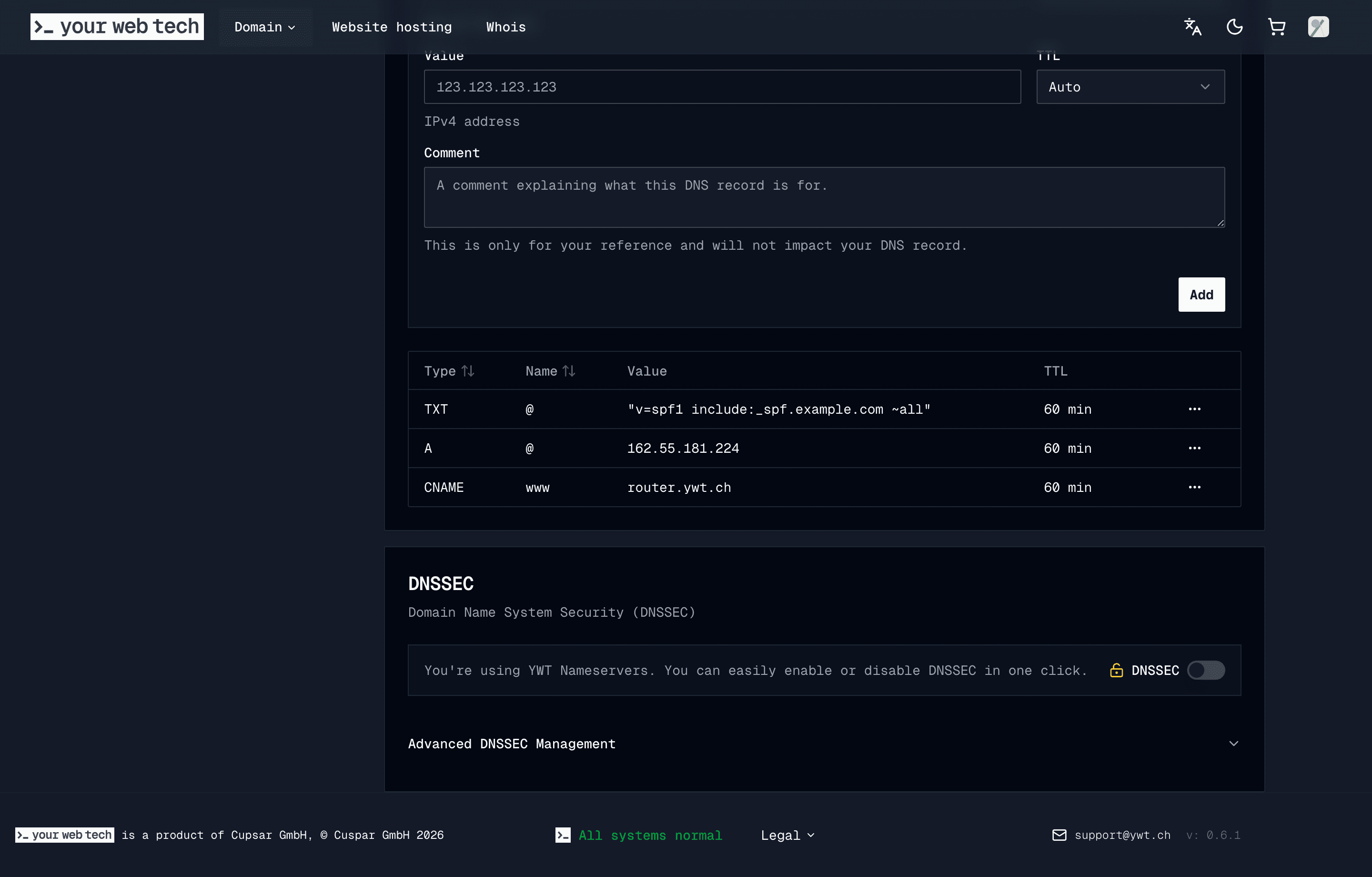
When you register a domain with YWT, we create the DNS zone and assign YWT nameservers by default. Add the records you need for websites, email, verification, and forwarding from the DNS management panel.
DNS at YWT
YWT provides a full DNS management panel for every domain registered with us. You can add, edit, and delete records directly from the domain detail page in your account. If you prefer to use external nameservers (like Cloudflare), you can update your nameserver settings instead.
Next steps
Manage DNS records
Add, edit, and delete DNS records for your domain.
Common DNS setups
Copy-paste configurations for popular services.
URL forwarding
Redirect a domain or subdomain to another URL.
Nameservers
Change or customize your domain's nameservers.
DNSSEC
Enable DNSSEC to protect your domain from spoofing.
DNS propagation
Understand why DNS changes take time to go live.