

What is a domain?
Learn how domain names work, key terminology, and the domain lifecycle for .ch and .li registrations.
What is a domain?
A domain name is the human-readable address people type into a browser to visit your website — for example, example.ch. Behind the scenes, the domain maps to an IP address where your site is actually hosted. Domains are how the internet turns something memorable into something computers can route.
Key terms
Understanding a few terms will make the rest of these docs much easier to follow.
Registry
The organization that operates a top-level domain (TLD). For .ch and .li, the registry is SWITCH. The registry maintains the authoritative database of all registered domains under that TLD.
Registrar
A company authorized by the registry to sell domain names to the public. YourWebTech is a registrar — when you register a domain through us, we communicate directly with SWITCH on your behalf.
Registrant
The person or organization that registers (owns) a domain. When you buy a domain, you are the registrant.
Nameservers
Nameservers tell the internet where to find the DNS records for your domain. When you register a domain with YWT, we set our nameservers by default, but you can point them elsewhere if you prefer.
DNS records
DNS records are instructions stored on nameservers. They control where your domain's traffic goes. Common types include A records (pointing to an IP address), CNAME records (pointing to another hostname), and MX records (routing email). See the DNS section for a deep dive.
DNSSEC
DNSSEC (Domain Name System Security Extensions) adds a layer of authentication to DNS responses. It helps prevent attackers from redirecting your visitors to a fake site. YWT supports DNSSEC for all .ch and .li domains.
WHOIS
WHOIS is a public directory that shows who registered a domain, when it was registered, and when it expires. Swiss regulations apply specific privacy rules — learn more in the WHOIS section.
Managing domains in your account
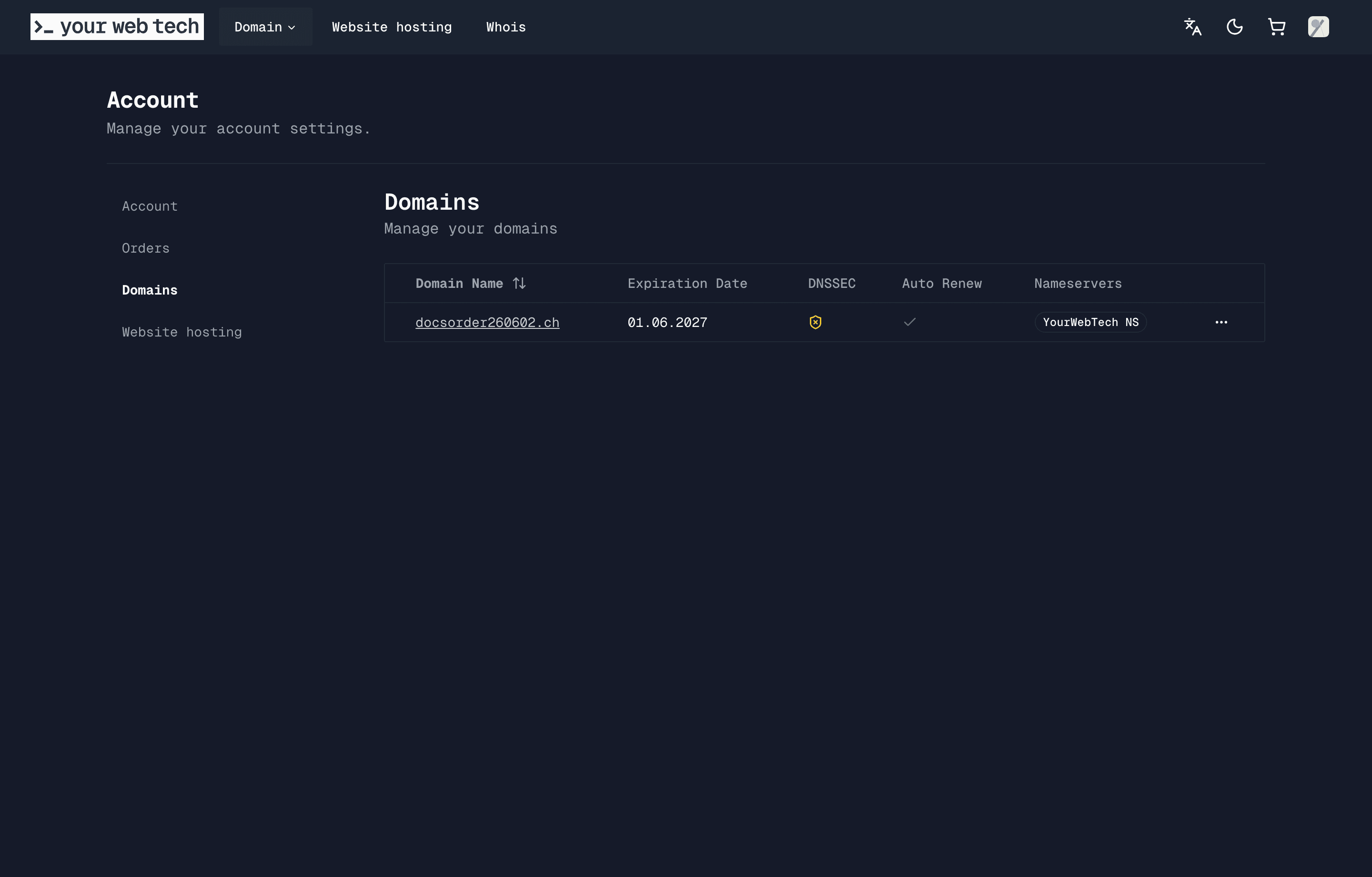
After registration, your domains appear under Account > Domains. The domain list shows each domain's expiration date, status, DNSSEC state, auto-renew setting, and current nameserver mode.
The domain lifecycle
Every domain goes through a predictable lifecycle:
Available — The domain is not registered. Anyone can register it.
Registered (Active) — The domain is owned by a registrant. It resolves normally and can be renewed before it expires.
Expiring — The domain's registration period is ending. YWT sends email reminders so you can renew in time.
Expired — The domain has passed its expiration date. Recovery may still be possible depending on the registry state and timing.
Deleted — The domain has been released back to the registry and is available for anyone to register again.
YWT sends renewal reminders around 30, 14, 7, and 1 day before expiration. Auto-renew domains are processed by the scheduled renewal pipeline before expiry, and manual renewals can be started from the domain page.