

What Is DNSSEC and Do You Need It?
What is DNSSEC? It is a security layer that stops attackers forging DNS answers. Here is how it works, who needs it, and how to turn it on.
What is DNSSEC, and do you need it?
DNSSEC (DNS Security Extensions) is a set of signatures that lets the internet check whether a DNS answer is genuine before trusting it. This guide explains what DNSSEC is, the attack it was built to stop, who actually benefits from it, and what it means for a .ch or .li domain. You will not need any cryptography background to follow along.
When you are ready to switch it on, the DNSSEC product guide has the exact steps for your YWT account. Read this page first if you want to understand what the toggle is doing.
DNSSEC in one sentence
Plain DNS has a gap: when a resolver asks "where is example.ch?" and gets an answer back, it has no way to tell whether that answer came from the real nameserver or from someone pretending to be it. DNSSEC closes the gap by having each answer cryptographically signed, so a resolver can reject any reply whose signature does not check out.
If you have read our beginner's guide to DNS, you already know that a lookup walks down a chain of servers. DNSSEC adds a matching chain of signatures alongside it.
The problem DNSSEC solves
To see why signatures matter, look at what can go wrong without them.
A DNS resolver caches answers so it does not have to repeat every lookup. That cache is the target. In a cache poisoning attack, someone races to slip a forged reply into the resolver before the real one arrives. If the fake answer lands first, the resolver stores it and hands the wrong IP address to everyone who asks. Visitors typing your real domain end up at a server the attacker controls, perfect for phishing or planting malware, and nothing looks wrong in the address bar.
This stopped being theoretical in 2008, when the researcher Dan Kaminsky showed how predictable parts of a DNS query made this kind of forgery far easier than anyone expected. The short-term patch was to randomise more of each query, which made guessing harder. It did not fix the root cause: a plain DNS answer carries no proof of where it came from, so a resolver has to take it on faith.
DNSSEC removes the faith. A forged answer has no valid signature, so a validating resolver throws it away instead of caching it.
How DNSSEC works: a chain of trust
DNSSEC does not encrypt anything. Your DNS records stay public and readable. What it adds is a way to prove that a record is authentic and unchanged. It works in layers:
- Your nameserver signs each record set with a private key, producing a signature record (RRSIG) next to the data.
- The matching public key is published in the zone as a DNSKEY record, so resolvers can check those signatures.
- A fingerprint of that key, the DS record (Delegation Signer), is handed up to the parent zone, the
.chor.liregistry run by SWITCH. - The parent vouches for your key, the root zone vouches for the parent, and a validating resolver follows that path from the top down.
That path is the chain of trust. Each level signs a pointer to the level below it, from the root, to .ch, to your domain. If every link checks out, the resolver trusts the answer. If any signature is missing or wrong, it refuses to return the record at all.
That last part has a sharp edge worth stating plainly. DNSSEC is strict on purpose. A correct setup protects your visitors, but a broken one (say, a DS record at the registry that no longer matches your signing key) makes validating resolvers return errors instead of your site. The protection and the failure mode are the same mechanism, which is why the configuration matters more than with ordinary DNS.
Do you need DNSSEC?
DNSSEC is optional, not mandatory, and it is worth being honest about the trade-off rather than treating it as a checkbox.
The case for turning it on:
- It blocks a real class of attack (spoofing and cache poisoning) that can quietly redirect your visitors.
- It is the foundation for newer protections, such as publishing mail or certificate data in DNS in a way clients can actually trust.
- Adoption is climbing fast in Switzerland, so it is becoming a normal expectation rather than a niche extra.
Where the value is highest:
- Domains handling logins, payments, email, or anything where sending a visitor to a fake server would cause real harm.
- Business and brand domains, where a hijack damages reputation as much as security.
Where it matters less, or needs more care:
- A throwaway or parked domain with nothing sensitive behind it gains little.
- If you plan to move nameservers often, know the rule first: DNSSEC has to be disabled in the right order before a nameserver change, or the domain can go dark. More on that below.
For most domains that point at a real website or email, the practical answer is yes, with the caveat that you switch it on through a provider that manages the keys for you, so you never hand-edit a DS record.
DNSSEC and .ch domains
Switzerland is a good place to care about this. SWITCH, the registry for .ch and .li, introduced DNSSEC support for .ch back in 2010 and has pushed adoption hard since. The Swiss regulator (OFCOM) has tasked SWITCH with a DNS resilience programme whose stated goal is to have 60% of all .ch domains protected by DNSSEC by the end of 2026, up from a small single-digit share a few years earlier.
For you, that backing means two practical things. The .ch/.li registry fully supports DS records, so the chain of trust can complete. And signing your domain puts it in good company rather than out on a limb.
Because YourWebTech is an accredited registrar talking to SWITCH on your behalf, you never deal with the registry directly. When you enable DNSSEC on a domain that uses YWT nameservers, YWT generates the keys, signs your zone, and submits the DS record to the registry for you.
Turning DNSSEC on for your domain
The full click-by-click steps live in the DNSSEC guide. The short version depends on who runs your nameservers.
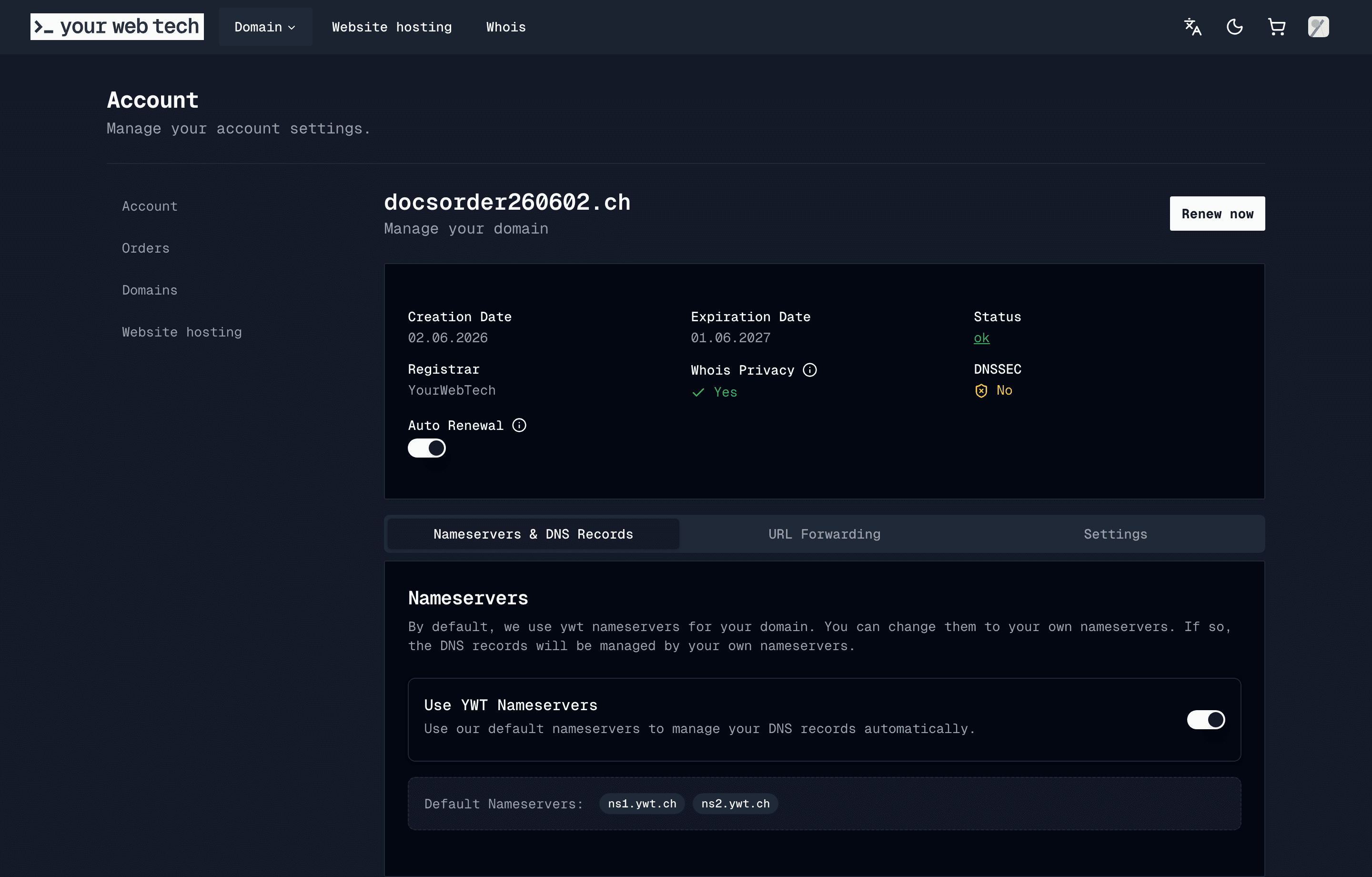
On YWT nameservers (ns1.ywt.ch / ns2.ywt.ch). This is the easy path. Open your domain, find the DNSSEC card, and toggle it on. YWT handles the keys, the signing, and the DS record at the registry automatically. There is nothing to copy or paste.
On external nameservers (such as Cloudflare or Route 53). Here you enable DNSSEC at that provider, copy the DS values it gives you (key tag, algorithm, digest type, and digest), and enter them in the Advanced DNSSEC Management section at YWT so the registry can complete the chain. Double-check those values, because a DS record that does not match your provider's keys will break resolution.
One rule prevents most DNSSEC outages: always disable DNSSEC before changing nameservers, wait for that change to propagate, switch the nameservers, then re-enable DNSSEC with the new provider. Skipping the order is a common way to take a domain offline.
To confirm it is working, you can run dig +dnssec example.ch and look for the ad (authenticated data) flag, or paste your domain into an online analyzer like dnsviz.net.
Frequently asked questions
What is DNSSEC in simple terms? It is a way to sign DNS answers so they cannot be forged. A resolver checks the signature, and if it does not match, it refuses the answer instead of sending you to a possibly fake server.
Does DNSSEC encrypt my DNS or hide my records? No. DNSSEC proves that records are authentic and unchanged, but it does not encrypt them. Your DNS data stays public. Hiding the lookup itself is a different technology (DNS over HTTPS or TLS).
Do I really need DNSSEC for a small website? If the site handles logins, payments, or email, it is worth it. For a parked or throwaway domain the benefit is small. For most live domains the safe choice is to enable it through a provider that manages the keys for you.
Can DNSSEC take my domain offline? A correct setup will not. A broken one can: if the DS record at the registry stops matching your signing key, validating resolvers return errors. This is why you let YWT manage the keys where possible, and always disable DNSSEC in the right order before changing nameservers.
Is DNSSEC available for .ch and .li domains?
Yes. SWITCH has supported DNSSEC for .ch since 2010, and the same applies to .li. With YWT nameservers you can enable it from your account with one toggle.
How do I check whether my domain has DNSSEC?
Run dig +dnssec yourdomain.ch and look for the ad flag in the answer, or use an online tool such as dnsviz.net, which shows the full chain of trust and flags any broken link.
Next steps
- Enable DNSSEC on your domain for the full walkthrough and the external-nameserver steps.
- What is DNS? A beginner's guide if the lookup chain is still fuzzy.
- Nameservers before you move DNS to another provider.
- Glossary for DS, DNSKEY, and other terms in one place.
Sources
- SWITCH, Committed to a secure DNS in Switzerland, for the 2010
.chDNSSEC rollout and the OFCOM goal of 60% of.chdomains signed by the end of 2026. - Internet Society Pulse, 10% and Rising Fast: Swiss Domains Adopt DNSSEC, on the adoption trend.
- Background on the 2008 cache-poisoning weakness is widely documented as the Kaminsky attack; see ICANN and SWITCH security write-ups on DNS spoofing.
Last updated: 2026-06-06.