

How to Get Your .ch Domain Auth Code
What the .ch auth code (transfer code) is, where to find it at your registrar, why it gets rejected, and how to keep it safe.
To move a .ch or .li domain to another registrar you need one thing: its auth code. Registrars also call it the authorization code, AuthCode, EPP code or transfer code. They all mean the same secret, and without it no transfer can start. This guide explains what the code is, where to find it, what to check before you ask for it, and why a code sometimes gets rejected.
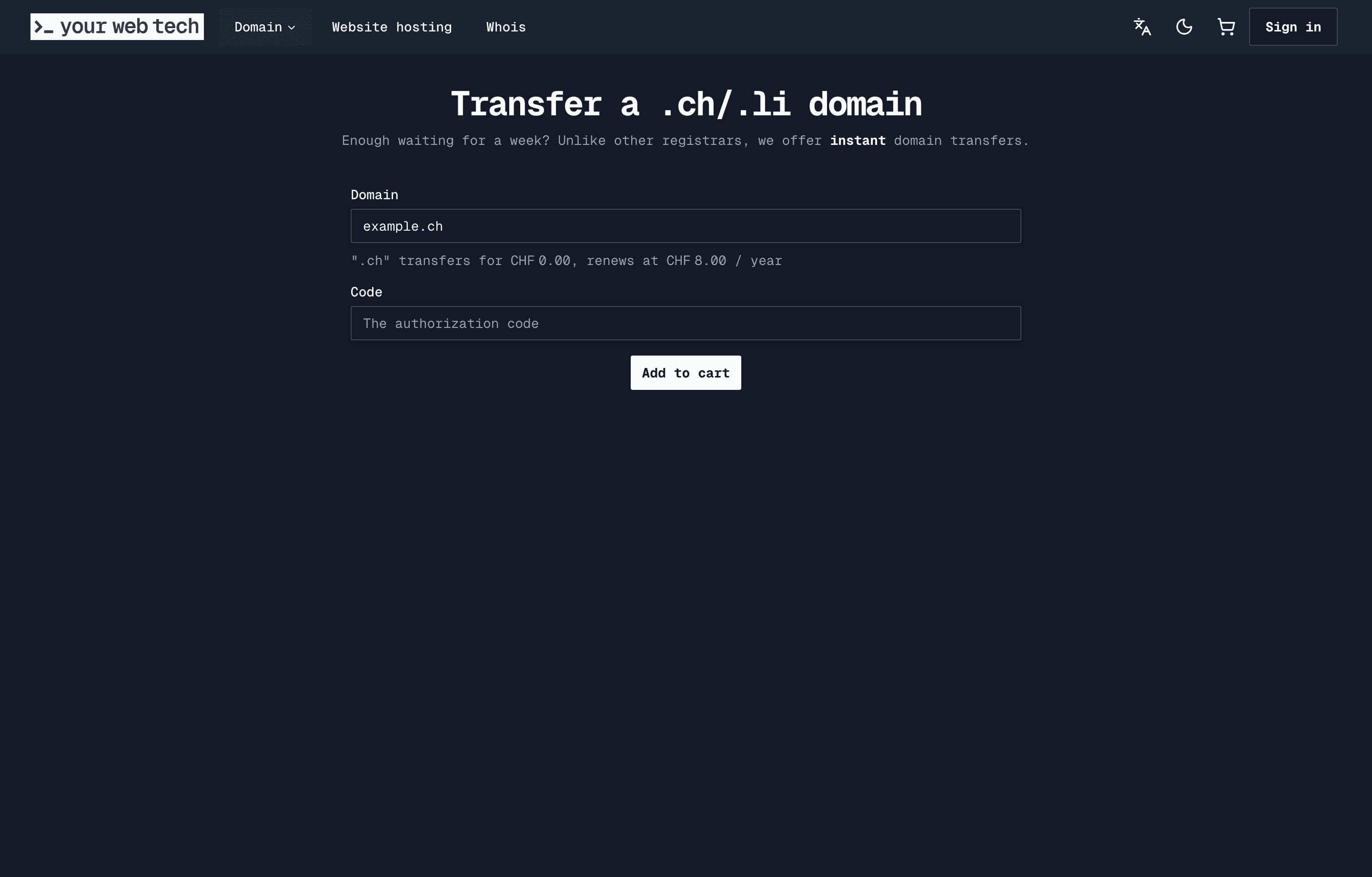
Have your code already? Enter it with the domain name on the transfer page. Transfers to YWT are free.
What is a .ch auth code?
The auth code is a password that belongs to the domain, not to your account. Your current registrar sets it at the registry, SWITCH. When a new registrar asks SWITCH to move the domain, it has to send the matching code. SWITCH compares the two and, if they match and nothing blocks the domain, approves the transfer on the spot.
Because the code alone is enough to move the domain, treat it like a password: do not post it in a support forum or send it to anyone except the registrar you are moving to.
Where to find your auth code
Every registrar puts it somewhere slightly different, but it is almost always in one of these places:
- The domain's settings page. Look for a button or tab called "Transfer out", "Transfer", "AuthCode", "EPP code" or "Authorization code".
- An email. Many registrars do not show the code on screen. You click a button and they email it to the account owner or to the domain's registrant contact.
- Support. Some registrars only hand it out on request. Write to their support from the email address on your account and ask for the auth code of the domain.
If the code is shown on screen, copy it exactly. Codes often mix upper and lower case letters, digits and special characters, and one wrong character is enough for a rejection.
At YourWebTech
If your domain is at YWT, open it under Domains, go to Settings and click Transfer out. YWT generates a new code and emails it to you. Transfer a domain away from YWT covers the details, including what happens to open renewal invoices.
Check these before you ask for the code
A code is only useful if nothing else blocks the transfer. Before you request it, check that:
- There is no transfer lock. Some registrars offer a lock in their panel. Remove it there. A registry status such as
serverTransferProhibitedalso blocks a transfer and has to be resolved by the registrar or the registry. - The domain has not expired. Renew it first. A domain that was deleted and is in its restore period cannot be transferred.
- DNSSEC is off, if your registrar requires it. Some registrars, YWT included, will not release a domain while DNSSEC data is still at the registry, because DNS could break during the move. You can turn DNSSEC on again at the new registrar afterwards.
- Your email works. If the code is sent by email, it goes to the address your registrar has on file. Update it first if it is an old one.
Why an auth code gets rejected
When a transfer fails, the cause is nearly always one of these:
- A typo. Copy and paste the code rather than typing it, and watch for spaces at the start or end.
- An old code. Requesting a new code usually replaces the previous one, and some codes expire after a while. Use the most recent code and use it soon.
- A code for another domain. If you manage several names, check that the code belongs to the one you are moving.
- A block on the domain. A transfer lock, a registry status or an expired domain stops the transfer even with a correct code.
The fix is the same in each case: sort out the cause at your current registrar, request a fresh code if needed, and try again.
What happens after you enter the code
For .ch and .li there is no waiting period and no confirmation email to click, unlike many other endings such as .com. SWITCH approves the transfer as soon as it receives a valid code. At YWT the transfer is submitted right after payment, so the domain is usually in your account within a minute or two.
A transfer does not change your nameservers or DNS records, so your website and email keep working. The domain also keeps its expiry date: a .ch transfer does not add a year. Domain registration vs website hosting explains why changing hosts never needs a transfer at all.
Frequently asked questions
Is the auth code the same as my password? No. Your password opens your account at the registrar. The auth code belongs to one domain and only serves to transfer it.
Does requesting the auth code start a transfer? No. Nothing happens until a new registrar submits the code. If you change your mind, simply do not use it.
How long is a .ch auth code valid? That depends on the registrar. Some codes stay valid until they are replaced, others expire. If in doubt, request a new one right before you start the transfer.
My registrar will not give me the auth code. What can I do? Check that the domain is not expired and that your account details are correct, then ask their support in writing. As the domain holder you are entitled to move it. If the registrar no longer exists or does not respond, contact SWITCH.
I never received the auth code email. Check your spam folder and that the email address on file at your registrar still works. Most registrars let you request the code again.
Can I use the same code twice? Once a transfer has completed, the code has done its job. The new registrar sets its own code, which you would request from them the next time you move.
Next steps
- Transfer a .ch or .li domain to YWT with your code.
- Transfer a domain to YWT for the step-by-step guide.
- Transfer a domain away from YWT if you are leaving.
Sources
- SWITCH, the registry for .ch and .li.
- SWITCH, EPP Manual, section on
domain:transfer. - OpusDNS, .ch TLD knowledge base, for transfer settings (no confirmation step, transfer does not extend the domain).
Last updated:
How to Choose a Good Domain Name
Choosing a domain name: practical tips to pick a memorable, trustworthy name for your Swiss business or personal site, plus .ch and .li advice.
Who Can Register a .ch Domain? Rules and Requirements
The rules for .ch domains: who may hold one, the Swiss address rule for holders abroad, which names are allowed, and what happens at expiry.