

Register your first domain
A step-by-step walkthrough for searching, selecting, and registering your first .ch or .li domain at YourWebTech (ywt.ch).
Register your first domain
This guide walks you through the entire domain registration process from start to finish. By the end, you will own a .ch or .li domain name that you can connect to a website, email service, or anything else you need.
Before you begin
- You need a YourWebTech account. If you do not have one yet, follow the Register an account guide first.
- Have a payment method ready. Checkout shows the payment methods currently available for your order.
- Think about the domain name you want. Short, memorable names work best.
.ch is the country-code top-level domain for Switzerland and .li is for Liechtenstein. Both are operated by SWITCH and are available to anyone worldwide — you do not need to be a Swiss or
Liechtenstein resident to register one.
Register a domain step by step
Search for your domain
Go to the ywt.ch homepage. You will see a search bar front and center. Type in the domain name you want (for example, alpineatelier or alpineatelier.ch) and click Search.
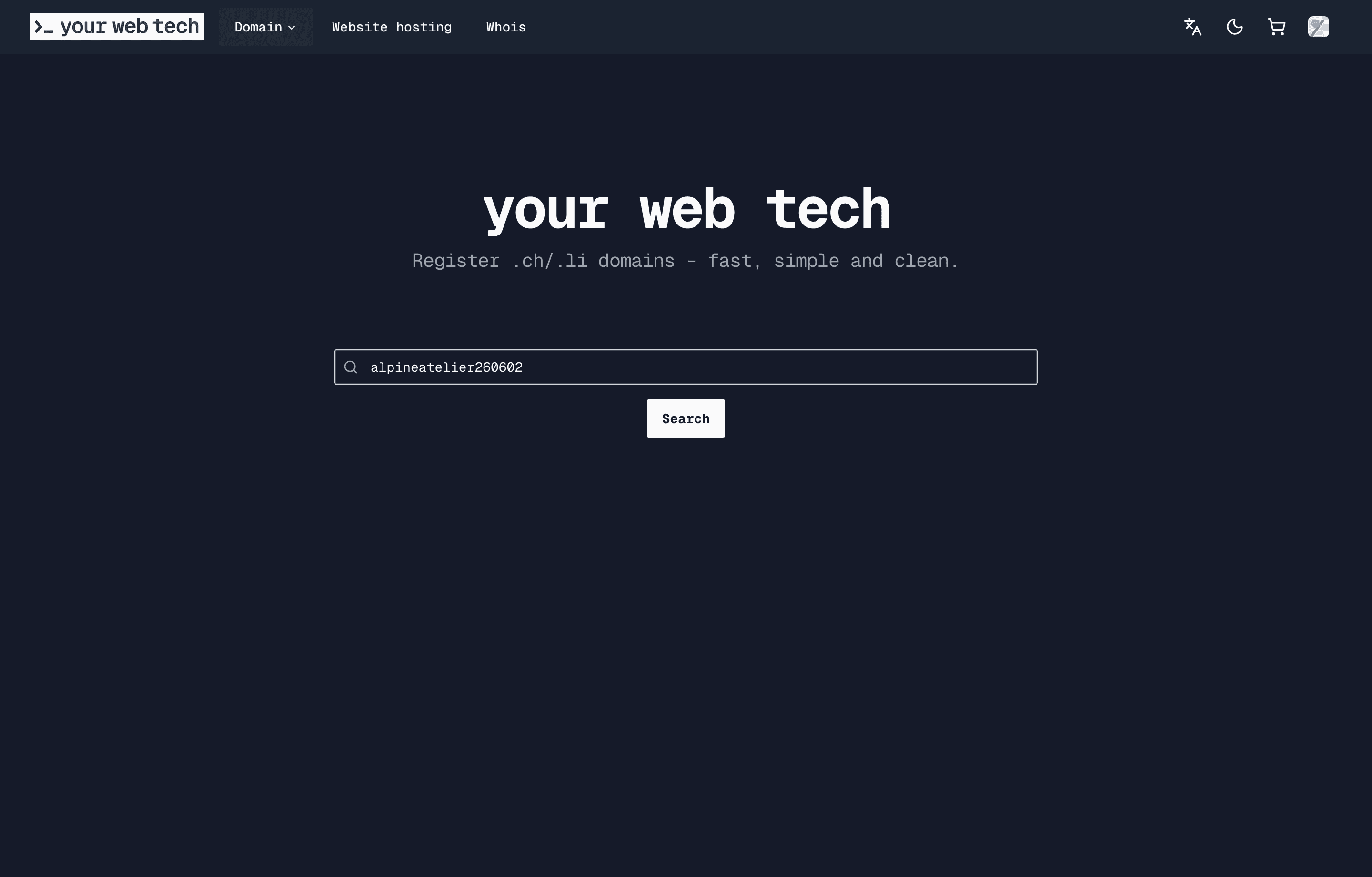
You do not need to include the extension — YourWebTech will automatically check availability across both .ch and .li.
Review results and pricing
After searching, you will see a results page showing whether your desired name is available for each extension. Each result displays:
- Availability status — a green checkmark means the domain is available; a red cross means it is taken.
- Price per year — the annual registration cost for that extension.
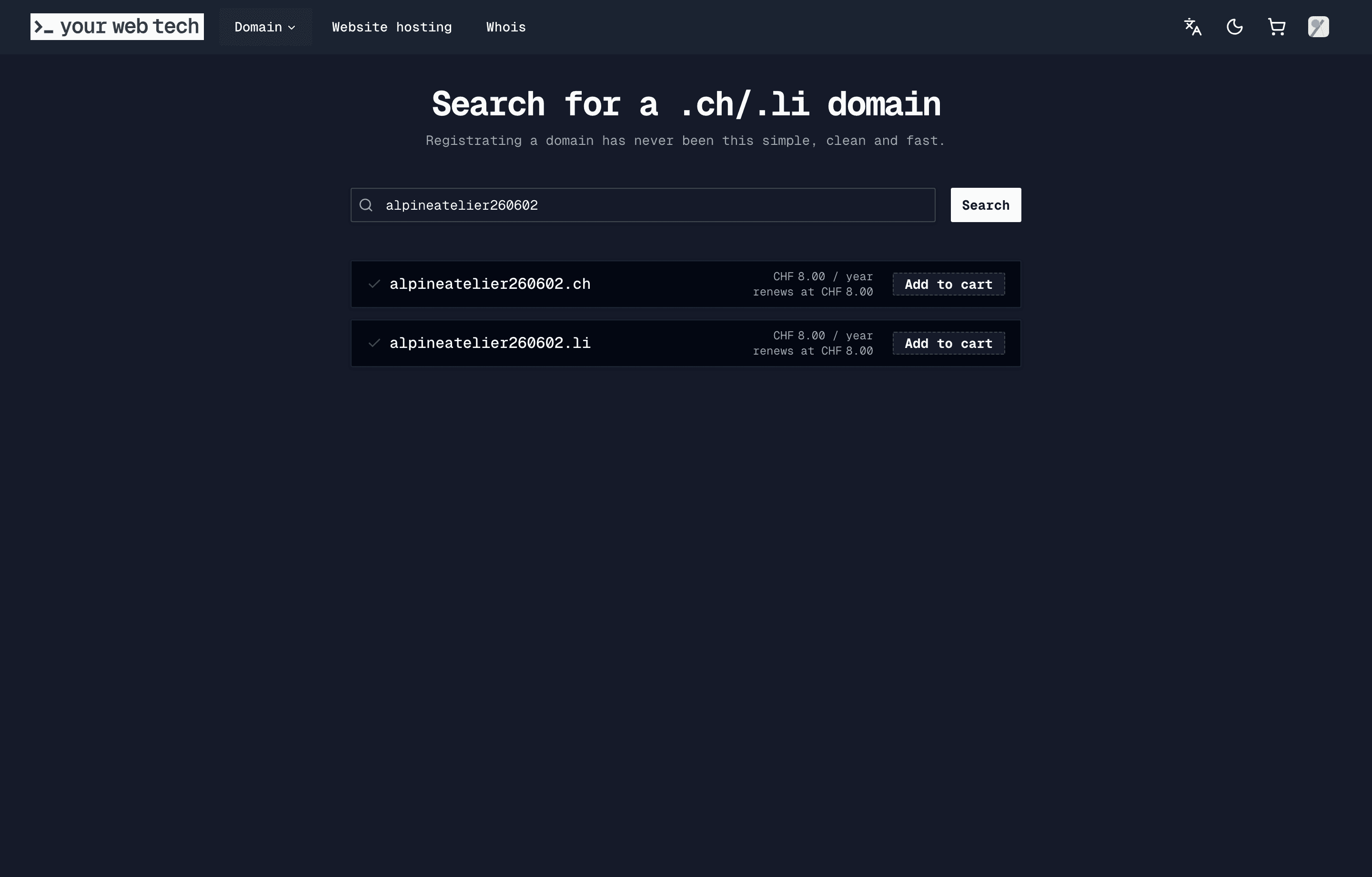
Take a moment to compare your options. If the .ch version is taken, the .li version might still be available, and vice versa.
Add to cart
Click the Add to Cart button next to the domain you want. You can add multiple domains at once if you want to register more than one.
A small cart indicator in the top-right corner will update to show the number of items in your cart. All domain registrations are for a fixed period of 1 year.
Review your cart and select contacts
Proceed to checkout by clicking the cart icon. The Summary page shows your cart items, the total in CHF, and asks you to select contact details:
- Registrant address — select from your saved contacts or add a new one. This is the legal owner of the domain.
- Billing address — defaults to the same as the registrant. Uncheck the box if you need a different billing address.
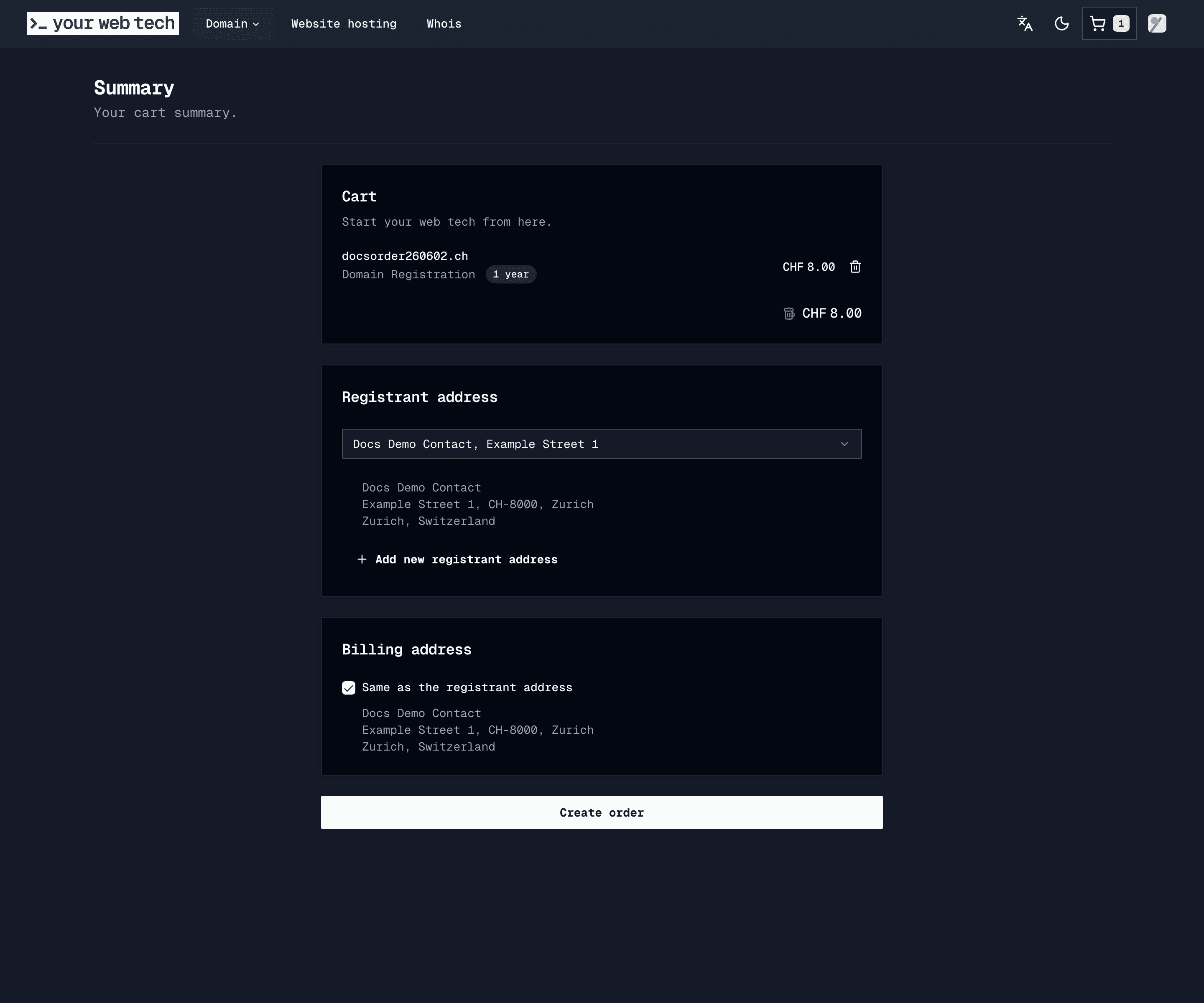
Accurate contact information is mandatory for .ch and .li domains. SWITCH, the registry operator, may verify your details. Providing false information can lead to your domain being suspended. If you are registering on behalf of an organization, use the organization's official contact details.
When everything looks correct, click Create order.
Complete payment
On the payment page you will see an Order Review with your domain items, the total amount, and an optional coupon code field.
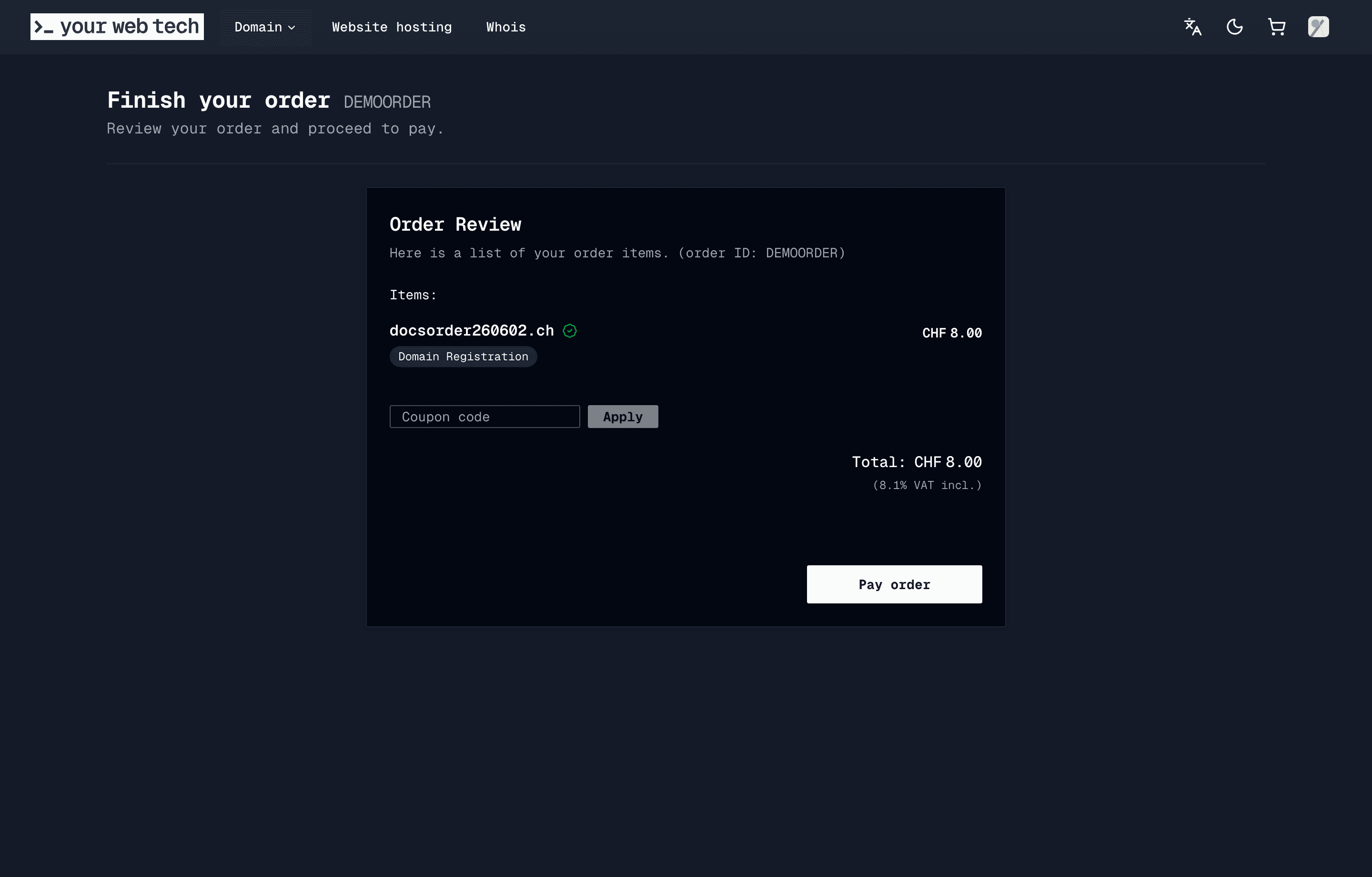
Below that, select your payment method — choose a saved card or add a new one — and click Pay order.
Once payment is confirmed, you will see a Thank you page confirming your payment was received.
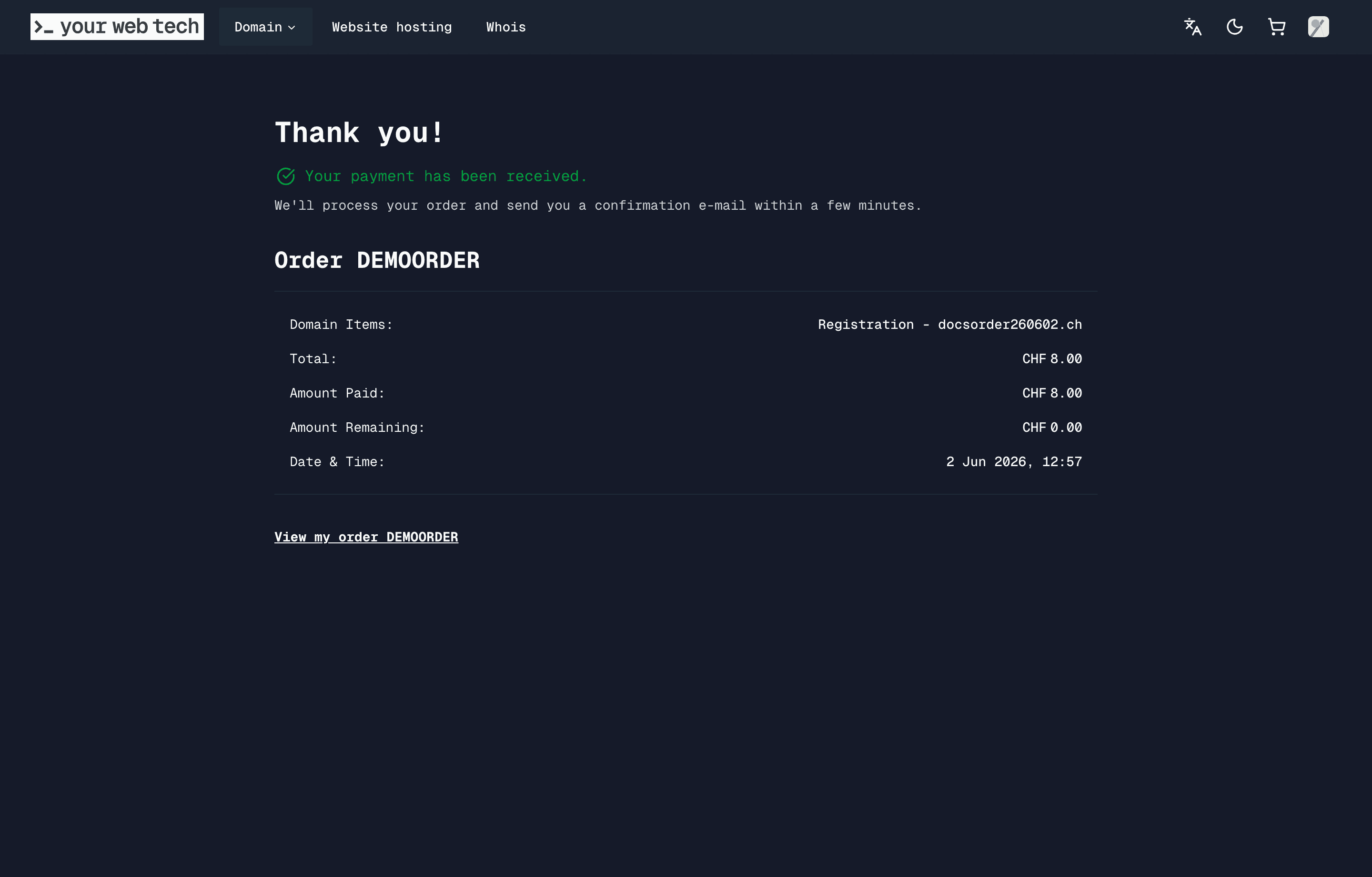
YourWebTech sends the registration request to SWITCH. In most cases your domain becomes active within a few minutes. You will also receive a confirmation email with your order details.
The confirmation page also shows a Put a page on card for each new domain. One click puts a free "Coming soon" page on the domain. See Put a page on your domain.
What happens after registration
Once your domain is registered:
- It appears in your domains list under Account > Domains, where you can manage all settings.
- Default nameservers are set to YourWebTech's nameservers, so you can start adding DNS records right away.
- WHOIS records are created with the contact details you provided during checkout.
Common questions
How long does registration take? Most .ch and .li domains are activated within minutes of payment. In rare cases, registry processing may take up to a few hours.
Can I register a domain that is already taken?
No. If a domain is taken, try a different name, a different extension (.ch vs .li), or check again later if the current registrant releases it. YWT does not currently offer backorder or drop-catching services.
What if I made a typo in the domain name? Domain registrations cannot be undone. Double-check the spelling carefully before completing your purchase. If you registered the wrong name, you will need to register the correct one separately.
Next steps
Now that you own a domain, here is what you can do with it:
- Put a page on it — show a free "Coming soon" page on your domain in one click, with no hosting plan. See Put a page on your domain.
- Set up DNS — configure DNS records to point your domain to a website or email service. See Manage DNS records.
- Host a website — deploy a static website directly on YourWebTech. Follow the Host your first website guide.
- Transfer a domain — already own a .ch or .li domain elsewhere? Learn how to transfer it to YourWebTech.
- Enable DNSSEC — add an extra layer of security to your domain. See DNSSEC.