

Static hosting plans and billing
Choose, upgrade, downgrade, renew, cancel, or resume a YWT static hosting plan.
Static hosting plans and billing
Static hosting is billed separately from domain registrations and domain renewals. Domains are usually one-time yearly registry actions. Paid hosting plans are subscriptions with monthly or yearly billing intervals.
Plan overview
| Plan | Best for | Public publishing | Custom domains |
|---|---|---|---|
| Free | Building a page and sharing it as a draft link that expires | No | No |
| Starter | One public site with one custom domain | Yes | 1 |
| Business | Multiple sites and more custom domains | Yes | 10 |
For exact storage, site, and custom-domain limits, see Platform limits.
A page made with Create a page (the form, no code) counts like any other site. On the Free plan you can build it and share it as a draft link; to publish it you need Starter or Business. See Create a page without code.
On every plan, including Free, you can put a free "Coming soon" page on each domain registered at YWT. It goes live on the domain without a paid plan and does not count against the site or custom-domain limits. If you later use Replace with a real page, it becomes an ordinary site and counts toward both limits from then on. See Put a page on your domain.
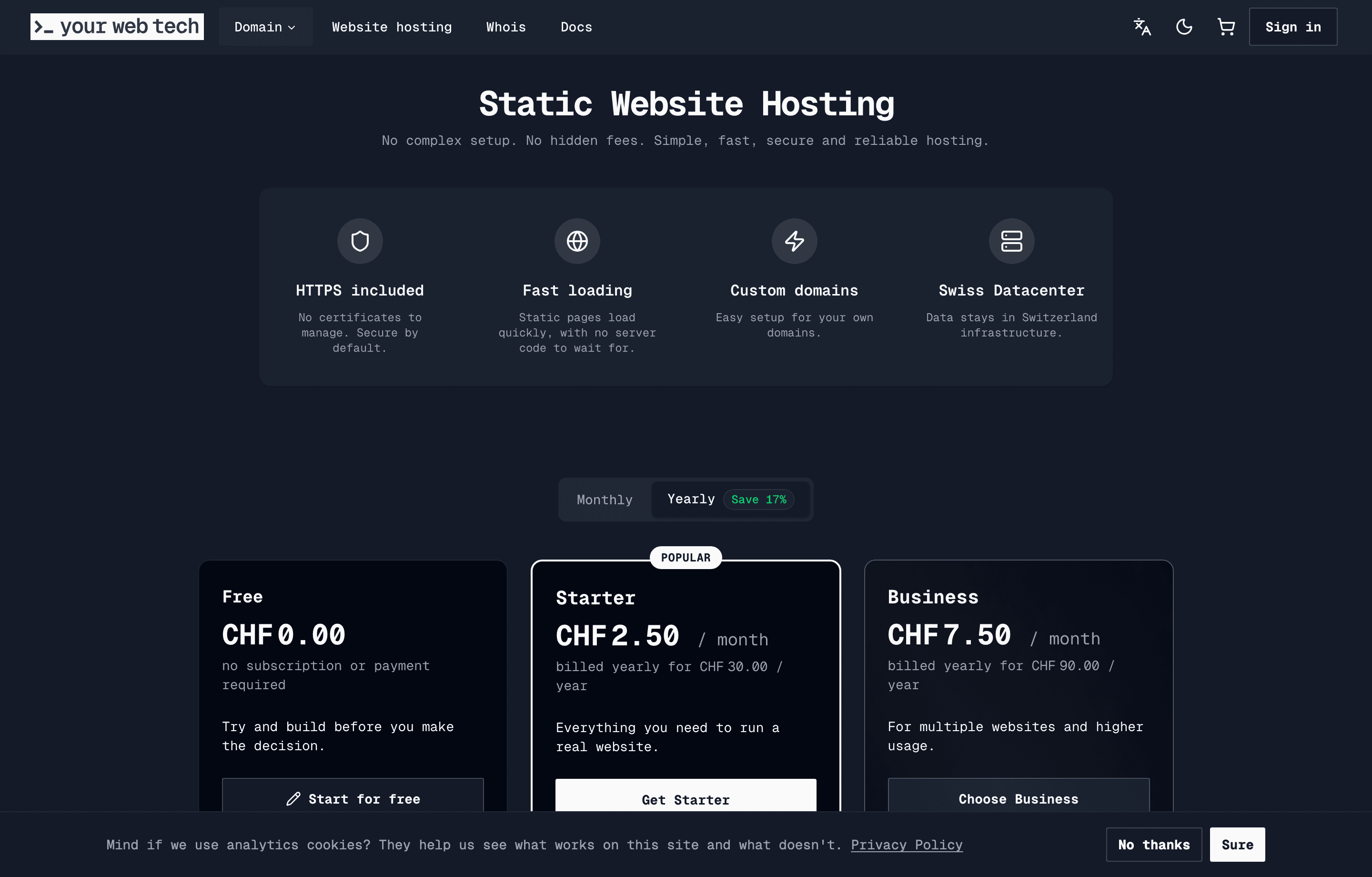
Monthly and yearly billing
The hosting pricing page lets you choose a monthly or yearly billing interval before adding a paid plan to the cart. The selected interval is stored on the static hosting cart item and becomes the subscription billing interval after payment.
When a subscription is created:
- monthly plans set the current period end roughly one month ahead
- yearly plans set the current period end roughly one year ahead
- the subscription becomes active after the paid order is processed
Buy a paid plan
Open hosting plans
Go to the static hosting plans page from the YWT app or from an upgrade prompt inside Account > Website hosting.
Choose monthly or yearly billing
Use the billing toggle before selecting Starter or Business.
Add the plan to your cart
Select the plan. YWT adds a static hosting item to your cart.
Complete checkout
Review the order and pay. Once payment is confirmed, YWT creates the static hosting subscription and unlocks the paid plan limits.
Manage your current plan
Open Account > Website hosting. The plan badge at the top of the page opens plan management. Depending on your current plan and state, you can review usage, upgrade, downgrade, cancel, resume a cancelled plan, or renew an expired plan.
The management dialog shows:
- current plan
- current site usage
- current custom-domain usage
- billing interval
- current period end
- any scheduled downgrade
- cancellation notice and a Resume Subscription button if cancellation is already scheduled
Upgrades
Upgrades move you from Starter to Business.
When you upgrade:
- YWT calculates the remaining days in the current billing period.
- YWT creates a prorated upgrade order for the price difference.
- You pay the order through checkout.
- After payment, the higher plan is applied immediately.
- The current period end stays the same.
If a scheduled downgrade exists, a successful upgrade clears that scheduled change.
Downgrades
Downgrades move you from Business to Starter.
Downgrades are scheduled for the end of the current billing period. You keep Business access until that date. Before scheduling the downgrade, YWT validates your current usage against the target plan.
You must reduce usage first if the target plan would be exceeded. For example:
- delete excess sites before moving to a plan with fewer allowed sites
- remove excess custom domains before moving to a plan with fewer allowed custom domains
If the downgrade is scheduled and you change your mind, you can cancel the scheduled change before it takes effect.
Cancel a subscription
Cancellation is scheduled for the end of the current billing period. The subscription remains usable until the period ends, then it stops renewing.
Cancelling the subscription does not automatically delete your static sites. However, once the paid plan is no longer active, paid-only capabilities such as public publishing and custom domains are no longer available under the Free plan limits.
Resume a cancelled subscription
If you change your mind, open plan management again before the current period ends and choose Resume Subscription. After you confirm, the plan renews automatically at the end of the period and your default payment method is charged then. YWT sends a confirmation email.
Cancelling also removes a scheduled downgrade, and resuming does not restore it. Schedule the downgrade again if you still want it.
Once the period has ended, a cancelled plan can no longer be resumed. Choose a new plan instead.
Expired subscriptions
If a static hosting subscription expires, YWT can create a renewal order from the expired-plan dialog. Complete that order to renew the plan for the same billing interval.
Orders and invoices
Hosting plan purchases, renewals, and paid upgrades create orders. You can review them under Account > Orders and download invoices when an invoice number is available.
For invoice downloads and business receipt notes, see Orders.
Next steps
- Compare platform limits.
- Create a site.
- Connect a custom domain.
- Contact support if your usage does not fit the published plans.