

URL forwarding
Redirect a YWT-managed domain or subdomain to another URL.
URL forwarding
URL forwarding redirects visitors from a domain or subdomain to another URL. It is useful when you want example.ch or www.example.ch to send visitors to an existing website, campaign page, booking page, or hosted service without building a separate site.
How forwarding works
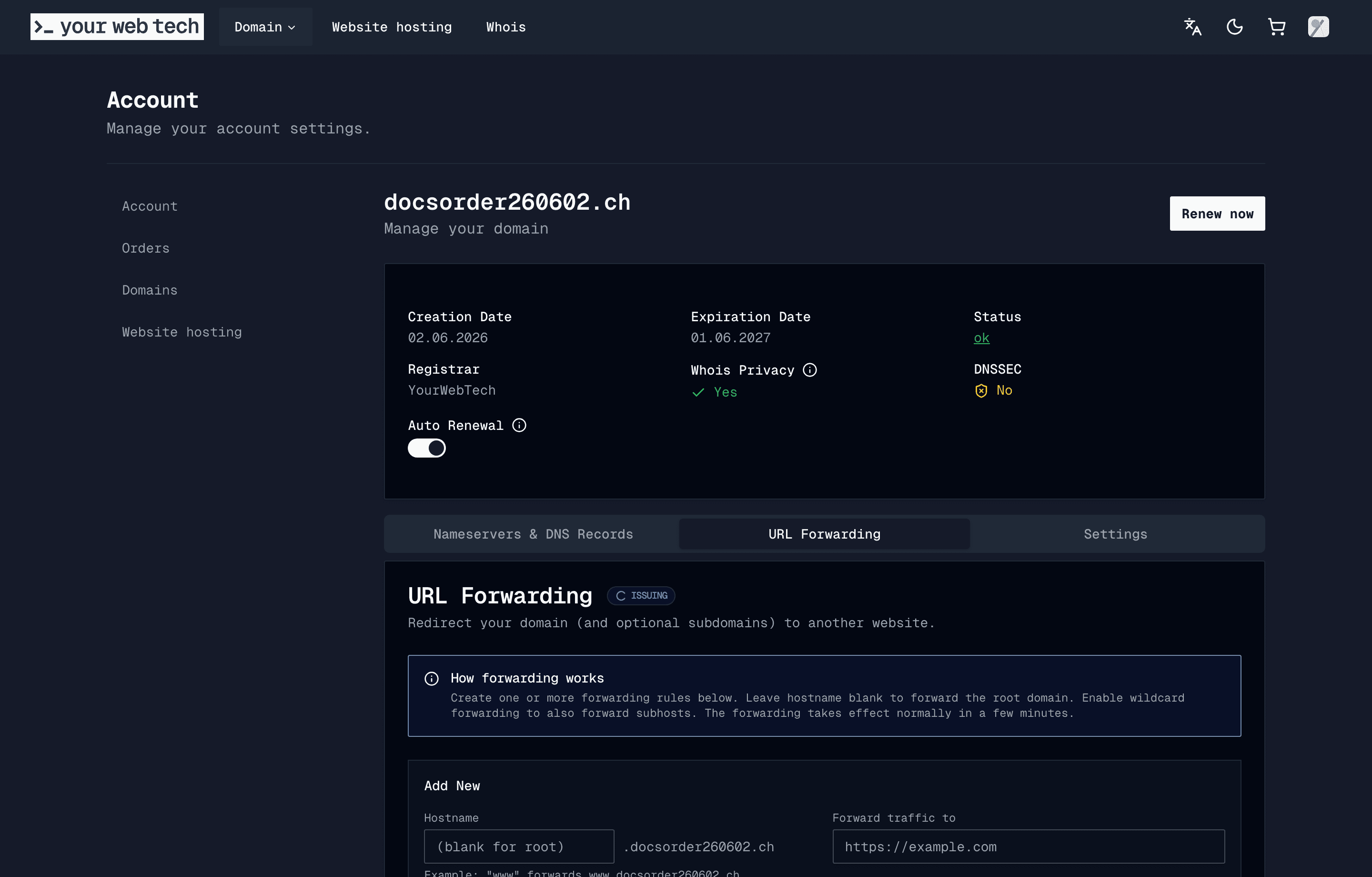
Forwarding is configured from the domain detail page:
- Open Account > Domains.
- Select the domain you want to configure.
- Open the URL Forwarding tab.
- Add one or more forwarding rules.
Each rule defines:
- Hostname — Leave blank for the root domain, or enter a single label such as
www. - Destination — The
http://orhttps://URL visitors should be sent to. - Wildcard forwarding — Also redirect matching subhosts.
- Include path — Preserve the visitor's path when sending them to the destination.
- Redirect type — Temporary redirects (
302,307) or permanent redirects (301,308).
Permanent redirects can be cached aggressively by browsers and search engines. Use a temporary redirect while testing, then switch to 301 or 308 only when you are sure the rule is final.
DNS requirements
YWT shows the required DNS records beside your forwarding rules.
| Host | Record type | Value |
|---|---|---|
Root domain (@) | A | 162.55.181.224 |
Subdomain (www, app, etc.) | CNAME | router.ywt.ch |
If the domain uses YWT nameservers, YWT can manage the needed records for you. If the domain uses external nameservers, add the required records at that DNS provider.
HTTPS
YWT issues HTTPS certificates for forwarded hostnames through the current edge router. Certificate issuance starts after the forwarding rule exists and DNS points to YWT. The forwarding page shows whether HTTPS is active or still issuing.
Removing forwarding
Delete a forwarding rule from the URL forwarding table. If it was the last rule, YWT removes the forwarding configuration for that domain. You should also remove any DNS records that only existed for forwarding if they are no longer needed.
Troubleshooting
Forwarding does not work yet.
Check that the hostname has the required DNS record and wait for DNS propagation. Use the forwarding page's DNS status check or query the record with dig.
HTTPS is still issuing. Make sure DNS points to YWT. Certificate issuance cannot complete if the hostname does not resolve to the YWT edge.
The browser still redirects to the old destination. You may have used a permanent redirect. Clear the browser cache or test from a different browser. Search engines and third-party caches may take longer to update.