

WHOIS lookup
Use YWT's WHOIS lookup tool to check domain registration details, status, nameservers, and availability for .ch and .li domains.
WHOIS lookup
WHOIS is a public directory that stores registration information about domain names. YWT provides a built-in WHOIS lookup tool that lets you quickly check the status and details of any .ch or .li domain — whether you own it or not.
What WHOIS shows you
A WHOIS query returns key information about a domain, including:
- Domain name — The full domain being queried (e.g.
example.ch). - Registration status — Whether the domain is active, expired, available, or in another registry state.
- Registrar — The registrar currently managing the domain (e.g. YourWebTech).
- Nameservers — The DNS servers the domain is pointing to.
- Creation date — When the domain was first registered.
- Expiration date — When the current registration period ends.
- Last updated — When the domain record was last modified.
Depending on registry policies, additional details such as registrant name or organisation may also be included.
How to use the WHOIS lookup
Open the WHOIS page
Visit the YWT website and navigate to the Whois page.
Enter a domain name
Type the domain you want to look up in the search field. Include the TLD extension (e.g. example.ch or example.li). You do not need to include www or https://.
View the results
Click Check (or press Enter). YWT queries the registry and displays the WHOIS data for the domain.
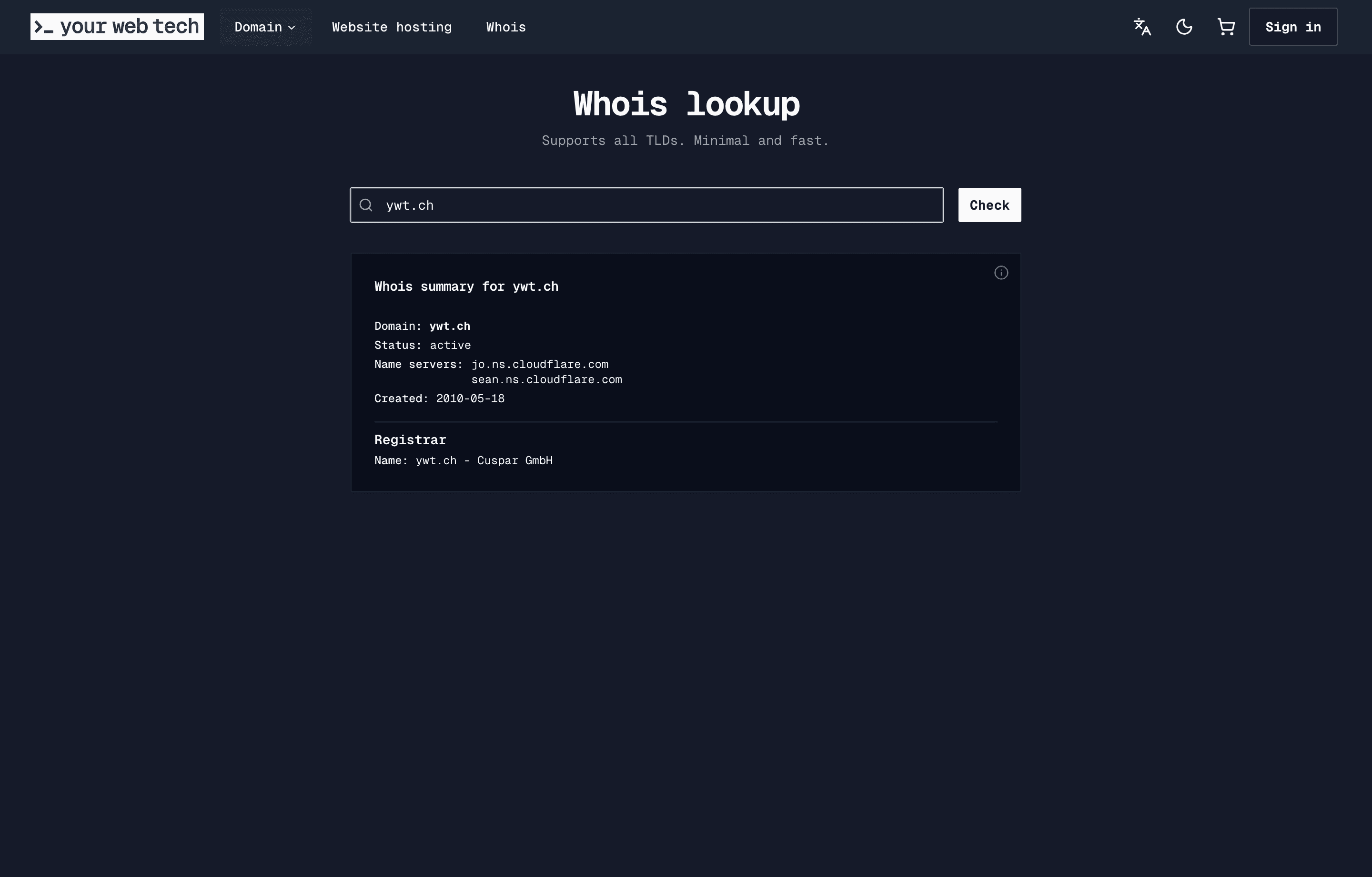
Interpret the results
Review the information returned:
- If the domain shows as active, it is registered and in use.
- If the domain shows as available, it is not currently registered and you can register it.
- If the domain is expired or in a recovery state, it may become available later, but cannot be registered immediately.
Privacy considerations for .ch and .li domains
WHOIS data for .ch and .li domains is subject to the privacy policies of SWITCH, the registry operator. Since the introduction of the revised Swiss Federal Act on Data Protection (revFADP) and European GDPR regulations, personal data in WHOIS results may be redacted or limited.
Here is what you should know about privacy:
- Public data — Domain status, registrar, nameservers, and registration dates are generally always visible in WHOIS results.
- Redacted data — Personal information such as the registrant's name, address, email, and phone number may be hidden from public WHOIS queries. This depends on the registry's current privacy policy.
- Registrant access — If legal registrant details need to be corrected, contact YWT support. Editing an existing domain's registrant is not yet available as a self-service option.
- Legitimate requests — Parties with a legitimate interest (such as law enforcement or trademark holders) may request access to redacted data through the registry's established procedures.
Common use cases for WHOIS
- Checking availability — Before registering a domain, use WHOIS to confirm it is not already taken.
- Verifying ownership — Confirm who manages a domain, for example before initiating a domain transfer.
- Troubleshooting DNS — Check which nameservers a domain is pointing to, which can help diagnose DNS issues.
- Monitoring expiration — See when a domain expires to plan renewals ahead of time.
Frequently asked questions
Can I look up any domain, not just .ch and .li?
The YWT WHOIS tool is optimised for .ch and .li domains. For other TLDs, you may need to use a third-party WHOIS service or the respective registry's lookup tool.
Why is some information hidden in the results?
Registry privacy policies determine what is shown publicly. For .ch and .li, SWITCH may redact personal data to comply with data protection regulations.
Is there a limit on how many lookups I can perform? YWT does not impose strict limits for normal usage, but excessive automated queries may be rate-limited to prevent abuse.
The WHOIS results show a different registrar. Can I still manage the domain at YWT? If the domain is registered with another registrar, you would need to transfer it to YWT first before you can manage it from your YWT account.